 95ed72edef
|
10 years ago | |
|---|---|---|
| src | 10 years ago | |
| .babelrc | 10 years ago | |
| .eslintrc | 10 years ago | |
| .gitignore | 10 years ago | |
| .travis.yml | 10 years ago | |
| LICENSE | 10 years ago | |
| README.md | 10 years ago | |
| demo.gif | 10 years ago | |
| package.json | 10 years ago | |

README.md
LosslessCut 🎥 
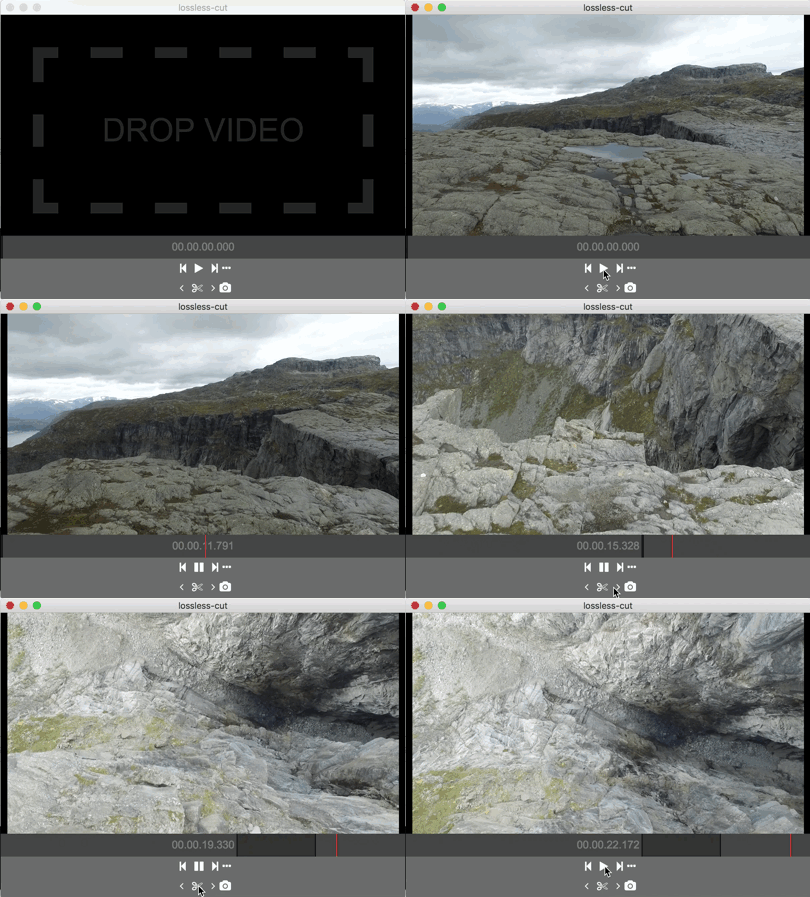
Simple, cross platform video editor for lossless trimming / cutting of videos. Great for rough processing of large video files taken from a video camera, GoPro, drone, etc. Lets you quickly extract the good parts from your videos. It doesn't do any decoding / encoding and is therefore extremely fast and has no quality loss. Also allows for taking JPEG snapshots of the video at the selected time. This app uses the awesome ffmpeg🙏 for doing the grunt work. ffmpeg is not included and must be installed separately.
Download
Installing / running
- Install ffmpeg
- Download latest LosslessCut from releases
- Run app
- If ffmpeg is available in $PATH/%PATH% it will just work
- If not, a dialog will pop up to select ffmpeg executable path.
Documentation
- Drag drop a video file into player to load or use ⌘/CTRL+O.
- Select the start and end time
- Press the scissors button to export a slice.
- Press the camera button to take a snapshot.
The original video files will not be modified. Instead it creates a lossless export in the same directory as the original file with from/to timestamps. Note that the cut is currently not precise around the cutpoints, so video before/after the nearest keyframe will be lost. EXIF data is preserved.
Keyboard shortcuts
- SPACE Play/pause
- ← Seek backward 1 sec
- → Seek forward 1 sec
- . (period) Tiny seek forward
- , (comma) Tiny seek backward
- i Mark in / cut start point
- o Mark out / cut end point
- e Export selection (in the same dir as the video)
- c Capture snapshot (in the same dir as the video)
Development building / running
This app is made using Electron. electron-compile is used for development. Make sure you have at least node v4 with npm 3.
git clone https://github.com/mifi/lossless-cut.git
cd lossless-cut
npm install
Running
npm start
Building package
npm run build
npm run package
TODO / ideas
- About menu
- icon
- Visual feedback on button presses
- ffprobe show keyframes
- ffprobe format
- improve ffmpeg error handling
- Slow scrub with modifier key
- show frame number
- Bundle ffmpeg
- support for loading other formats by streaming through ffmpeg?
- cutting out the commercials in a video file while saving the rest to a single file?
Links
- http://apple.stackexchange.com/questions/117306/what-options-are-available-to-losslessly-trim-mp4-m4v-video-on-10-8-or-above
- http://superuser.com/questions/554620/how-to-get-time-stamp-of-closest-keyframe-before-a-given-timestamp-with-ffmpeg/554679#554679
- http://www.fame-ring.com/smart_cutter.html
- http://electron.atom.io/apps/
- https://github.com/electron/electron/blob/master/docs/api/file-object.md
- https://github.com/electron/electron/issues/2538